How to Steal Competitors Keywords: The Google Ads Guide

A rival keeps showing up above you in the search results, catching clicks you know should be yours. You want a repeatable way to find and check exactly which keywords that competitor bids on. Learning how to steal competitors’ keywords is a legal, standard marketing practice, closer to playing detective than to copying anyone’s work. Instead of burning budget on trial and error, you build on research your competitors already paid for.
This guide covers the free Google tools, the paid platforms worth upgrading to, and how to turn what you find into campaigns that convert.
Key Takeaways
- It is legal and normal: Analyzing competitor keywords is standard competitive research, not content theft.
- Start free: A manual Google search plus Auction Insights, Keyword Planner, and the Transparency Center answers most questions at zero cost.
- Upgrade for depth: Paid tools like SEMrush, SpyFu, and Ahrefs reveal historical keyword lists, estimated spend, and keyword-level CPC.
- Filter before you bid: A competitor keyword only matters if it fits your intent, budget, and conversion economics.
- Mind the gaps: Terms competitors target that you don’t are usually your fastest expansion wins.
Why Stealing Competitor Keywords Works
Your competitors have already spent money and time on keyword research, so studying their top terms lets you skip much of the trial and error phase. You inherit the lessons without paying the tuition.
The payoff shows up in three ways:
- Discovery: You surface high-value keywords you missed entirely.
- Gaps: You find terms competitors target that you don’t, which are quick wins.
- Priorities: You read intent; a rival bidding on your brand name is signaling something worth noticing.
This is intelligent research aimed at building something better, not copying ad copy line for line. The context in 2026 makes it matter more, because clicks keep getting pricier. According to Search Engine Land’s coverage of the LocaliQ benchmarks, the average Google Ads cost per click rose to $5.42, up from $4.66 the previous year, with CPCs increasing in 87% of industries analyzed. When every click costs more, competitor intelligence reduces wasted spend.
How to Find Competitors’ Keywords: Free Google Tools
The fastest free way to check competitors’ Google Ads keywords is to combine a manual Google search, the Auction Insights report, Keyword Planner, and the Google Ads Transparency Center. Run them in order, and you get a full picture without a subscription.
- Search in incognito: Type your target keywords into an incognito window and record which domains consistently appear in the paid results. Those are your real search competitors, not the ones you assume.
- Open Auction Insights: Inside Google Ads, go to Campaigns, then Auction Insights, to see which advertisers bid on the same keywords as you and how you compare on impression share.
- Run Keyword Planner: Use it to estimate demand and to surface related terms competitors likely target, including cheaper long-tail keywords.
- Check the Transparency Center: The Google Ads Transparency Center shows the live ads competitors run and how they position their offers.
Know the limits before you rely on it. The Transparency Center covers search, display, Gmail, and YouTube ads that are currently active or were run within the last 30 days, and it never shows keyword-level CPC or performance data.
Recommended Blog: How to use long trail keywords in Google Ads?
How to Check Competitors’ Keywords: Paid Tools
Paid platforms reveal historical keyword lists, estimated spend, CPC, and ad copy archives that free Google tools never surface. They turn a snapshot into a trend line.
Upgrade once the free stack runs out. That happens when you exceed a handful of competitors, need historical movement over months, or want keyword-level CPC to model your own bids. Most of these platforms also let you isolate a competitor domain or subfolder, so pointing a tool at a /blog/ path shows exactly which topics and keywords drive that section’s traffic.
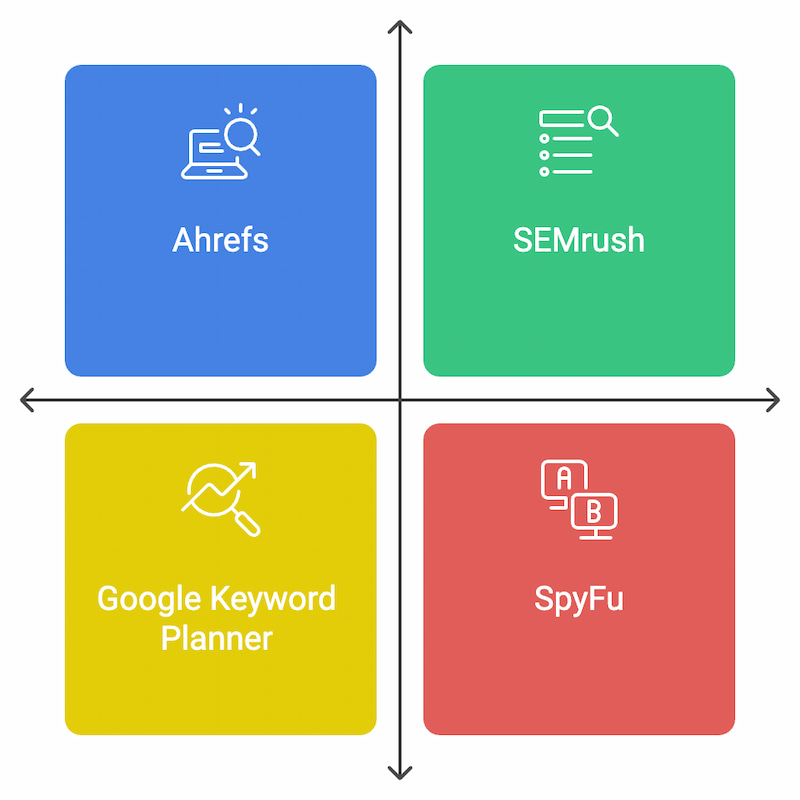
Free vs Paid Competitor Keyword Tools
Most teams pair the free Google stack with one paid tool rather than buying several. Use the table below to pick the right combination for your budget and depth of need.
| Tool | Type | Best For | Key Data Shown |
|---|---|---|---|
| Google Auction Insights | Free | Seeing who you actually compete with | Keyword overlap and impression share |
| Google Keyword Planner | Free | Sizing demand | Search volume and related keyword ideas |
| Google Ads Transparency Center | Free | Reading positioning | Live competitor ad copy and creative |
| SEMrush | Paid | All-in-one PPC and SEO research | Keyword-level CPC and historical ad copy |
| SpyFu | Paid | Affordable single-domain digging | Paid keyword history for one competitor |
| Ahrefs | Paid | Finding what you don’t rank for | Keyword gap analysis and organic overlap |
| iSpionage | Paid | Ongoing SMB monitoring | Competitor campaign and keyword tracking |
For finding gaps specifically, Ahrefs’ Content Gap tool is built to find the keywords your competitors rank for, but you don’t. If you want a fuller breakdown, our roundup of keyword research tools for Google Ads compares each option in detail.
How to Turn Competitor Keywords Into a Winning Strategy
A competitor keyword only matters if it fits your intent, budget, and conversion economics, so filter before you bid on anything. A long list is not a plan.
Prioritize terms that show buying intent and consistent long-term use, because a keyword a rival has funded for months is probably profitable. When we ran this analysis for a SaaS client, it surfaced “best CRM for small business,” a term that wasn’t in our arsenal but was performing well for competitors. Long-tail phrases behave the same way: “running shoes” is brutally competitive, while “best running shoes for trail running” is specific, cheaper, and high-intent.
Keyword gaps deserve their own pass. Terms competitors rank or bid for that you don’t, found through gap analysis, are your quickest expansion wins.
One caution before you get aggressive: bidding on a competitor’s branded terms often produces low Quality Scores and weaker conversion, so weigh cost per acquisition first. Build strong negative keyword lists to filter irrelevant traffic, and test in small batches. This validate-and-test discipline is exactly how we manage competitor research for Google Ads clients at Velocity, and it’s what keeps keyword selection tied to revenue rather than vanity clicks.

The Bottom Line
Competitor keyword research pays off only when it ends in a test, not a spreadsheet. Pick one rival this week, run the free four-step Google workflow, and pull three keywords or gaps you can validate against your own cost per acquisition before committing budget. If the free stack leaves questions, add a single paid tool that matches the depth you actually need. That focused loop, repeated, is how you convert competitor intelligence into cheaper clicks and better conversions.
If you’re interested in having our expert team review your competitors for you, just get in touch, we’d love to chat.
FAQs
Yes. Analyzing which keywords competitors bid on is standard, ethical competitive research, and search platforms allow bidding on the same keywords as other advertisers. You’re studying publicly visible strategy, not copying protected content. The line to avoid is duplicating a competitor’s ad copy or brand assets directly.
Start with a manual Google search in an incognito window to see who consistently appears in paid results. Then combine three free Google tools: Auction Insights for overlap, Keyword Planner for demand and related terms, and the Transparency Center for live competitor ads. Together they answer most questions at no cost.
Use the Auction Insights report to see which advertisers compete for your keywords and how your impression share compares. The Transparency Center then shows the live ads a competitor runs, revealing their positioning. For historical keyword lists and estimated CPC, you need a paid tool like SEMrush or SpyFu.
There is no single best tool; the right pick depends on need and budget. The free Google stack handles basics like overlap, demand, and live ad copy. For depth such as keyword-level CPC and historical trends, SEMrush is the strongest all-in-one option, while SpyFu is a budget-friendly choice for digging into one domain.
A keyword gap is a term your competitors target or rank for that you don’t. Gap analysis tools like Ahrefs surface these by comparing your domain against competitor domains and subtracting the keywords you already cover. What remains is a ready-made list of expansion opportunities.
You can, but proceed carefully. Bidding on a rival’s brand terms often triggers low Quality Scores and weaker conversion because searchers are looking for that specific company. Model your cost per acquisition first, and only commit budget if the math holds after a small test.
Treat it as a recurring habit, not a one-time project. A monthly review catches new keywords, fresh ad angles, and shifting priorities before they cost you clicks. Most brands check once and forget, so a simple monthly cadence puts you ahead of the field.